
BrightWay Credit Card Mobile
OneMain FinancialFinance
4.66.82K Reviews
- Version
- 5.10.0
- Installs
- 500.00K
- Age Rating
- Everyone
Screenshots
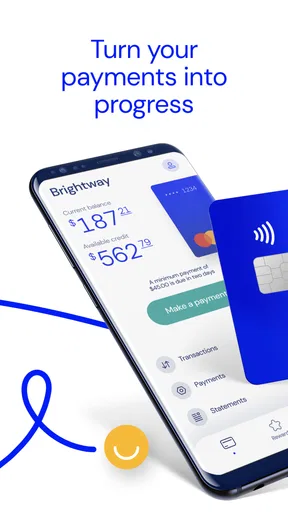
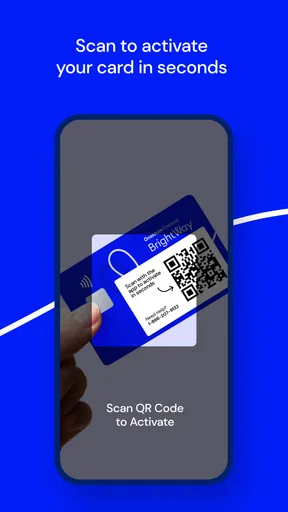
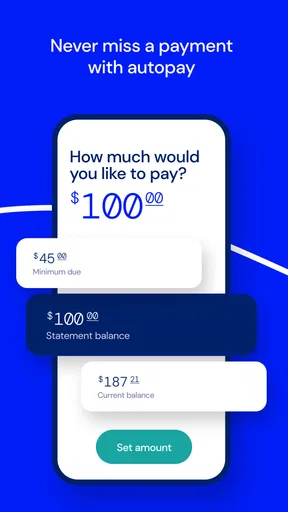
Our Review of BrightWay Credit Card Mobile
 Analysis by Appyee
Managing a credit card from a phone can be convenient, but convenience depends on more than having a payment button on screen. I spent time looking at BrightWay Credit Card Mobile as a finance app from OneMain Financial, paying particular attention to how comfortably different people might read, navigate, and complete routine money tasks. My overall impression is that it is most useful when you already use the BrightWay Credit Card and want a focused mobile place for spending, payments, and rewards rather than a broad budgeting platform.
The app is free, aimed at Everyone, and has built a solid audience, with an average rating of 4.6 from around fifteen thousand ratings. It has passed half a million installs, which suggests that it is not an obscure companion app. Still, popularity does not automatically make a financial interface easy for every person. In this review, I look beyond the basic store summary and consider how the app fits real routines, including situations where reading, touch control, attention, or reliable connectivity may be difficult.
How clearly the app presents everyday money tasks
I find that a focused card interface is most helpful when it makes the next step easy to identify, rather than trying to show every financial detail at once. In this section, I look at how BrightWay’s narrow purpose can shape a quick account check and why taking a moment to read each label matters before moving on to payment decisions.
Readability and navigation in the main experience
The strongest part of a dedicated card app is focus. BrightWay Credit Card Mobile is not trying to be a complete banking replacement or a personal finance dashboard packed with unrelated accounts. Its purpose is narrower: helping me keep an eye on card activity, make payments, and engage with rewards. That narrower scope can reduce the mental effort of hunting through menus for the task I need.
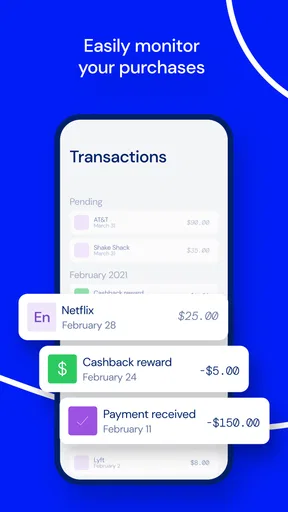
For a typical cardholder, the most important question is usually simple: what do I owe, when should I act, and what has changed since I last checked? A focused credit card app is better suited to that quick check than a general spreadsheet or a separate budgeting tool that requires manual updates. I can imagine opening it after buying groceries, before a bill is due, or when I want to verify that a recent purchase is reflected in the account.
That simplicity also has an accessibility benefit. People who find crowded financial apps tiring may prefer an experience centered on one card relationship. Someone who is new to mobile finance can also approach the app with a smaller learning curve than a full banking suite containing checking, savings, investments, transfers, and budgeting tools all at once.
At the same time, card management is not a single-step activity. A user may need to review a transaction, understand a balance, choose a payment amount, confirm the action, and later check whether the payment was processed. In my view, the app is most successful when it keeps those stages visually distinct. Financial interfaces should never make a user guess whether a number is a current balance, a minimum payment, a previous statement amount, or a reward total.
I would advise anyone who has difficulty reading dense screens to use the app during a calm moment rather than while rushing. Open the relevant account area, pause over each amount, and confirm the payment details before submitting. That habit matters more here than speed. A finance app should support careful decisions, not encourage users to tap through a screen simply because the layout looks familiar.
Why a focused card app can be easier than the usual alternatives
Compared with a paper statement, the mobile app offers a more immediate way to inspect card activity and handle a payment without sorting through mail or manually entering information. Compared with a general budgeting app, it should be more direct for card-specific tasks because the account relationship is already at the center of the experience. Compared with a bank app that combines many products, the smaller purpose may feel less overwhelming.
There is a trade-off, though. A dedicated card app is not automatically the best tool for understanding an entire household budget. If I want to compare rent, utilities, bank balances, cash spending, and several cards in one place, a budgeting app or a broader banking service may give me a more complete view. BrightWay Credit Card Mobile makes more sense as the authoritative place to check this card than as the only financial tool in my life.
This distinction is especially important for users with cognitive or attention-related needs. A focused app can reduce distraction, but it can also leave the person switching between apps to build a complete picture. I would use it for confirming card details and payments, then rely on a separate, simpler method for planning monthly spending if that is my main goal.
Motor and sensory considerations when handling payments
Touchscreen finance tasks can be demanding for people with tremors, limited dexterity, joint pain, or difficulty maintaining precise finger control. Payment screens are particularly sensitive because an accidental tap can move a process forward. I would approach BrightWay Credit Card Mobile with the same caution I use for any financial app: enlarge the device’s text where possible, keep the phone steady, and avoid completing a payment while walking or carrying something.
The app’s usefulness for motor accessibility depends partly on the phone itself. A user who struggles with small touch targets may benefit from system-level magnification, a stylus, or an alternative input method supported by the device. Those tools are not special BrightWay features, so I would test them before relying on the app for an urgent payment. The practical question is not merely whether the app opens, but whether I can select the correct control without repeated or accidental taps.
For users with low vision, readability deserves a deliberate check. Device text enlargement, display zoom, and stronger contrast settings may make the experience more comfortable, but enlarged text can sometimes cause a screen to show less information at once. That creates a useful trade-off: larger lettering may improve recognition while requiring more scrolling. I would rather scroll slowly than reduce text size until balances and labels become difficult to distinguish.
People who are sensitive to visual clutter may appreciate a task-focused card interface, especially when checking one item at a time. On the other hand, anyone who depends on very strong contrast, large controls, or dependable screen-reader wording should test the current version directly on their own phone before making it their only payment method. I do not see a reason to assume that a finance app will suit every assistive setup simply because it is available on a modern device.
Audio access can also be complicated in public places. A user who cannot comfortably read the screen may need headphones or a private setting when reviewing financial information. That is not a flaw unique to this app; it is a reminder that card details are sensitive. I would avoid using spoken assistance for account information in a crowded room, even if it makes navigation easier.
A realistic routine: checking a purchase and paying on a busy day
Imagine I buy household supplies in the afternoon and later want to confirm that the card activity looks right before paying the account. I open the app at home, use the account view to review the recent activity, and then move to the payment area. If the screen contains several amounts, I slow down and identify which figure matches the action I intend to take. After confirming the details, I complete the payment and return later to check the account rather than assuming that a tap alone settles the matter.
This routine shows where the app can help and where the user still has responsibility. The mobile format saves me from waiting until I reach a computer, and it puts card management in the same device I carry every day. But the phone can also be distracting. Notifications, low battery, poor lighting, or a weak connection can make a financial task harder than it appears. I would not make a payment while boarding a bus or standing in a checkout line simply because the app is available there.
For someone with memory difficulties, a repeatable routine is valuable. I would choose one quiet time to review activity and another to handle payments, using the app as the place where I verify the account rather than relying on memory. Writing down the intended payment amount before opening the screen can also reduce confusion when several figures appear close together.
For someone with limited vision or hand control, the same scenario may require more preparation. I would turn on the phone’s preferred accessibility settings first, clean the screen, use a stable surface, and leave enough time to read every confirmation. Those small steps are more realistic than assuming that a financial task should be completed quickly just because it is mobile.
Situational access beyond the home
BrightWay Credit Card Mobile is useful precisely because a phone travels. I can imagine checking a purchase while away from home, reviewing card activity before contacting support, or handling a payment when a computer is unavailable. This can matter for people who cannot easily reach a branch or who need to manage money around work, caregiving, travel, or mobility limitations.
However, mobile access is not the same as universal access. A person may have an older phone, limited data, a small display, or an unreliable connection. Those circumstances can turn a straightforward task into a stressful one. I would keep another way to manage important card responsibilities, such as a computer or the contact method associated with the account, rather than treating the app as the sole route.
Privacy is another situational concern. Checking a balance in a quiet room is different from reviewing it on public transport. Users who share a phone, live with a caregiver, or rely on someone else for digital assistance should think about who can see account information during the process. The convenience of a mobile screen needs to be balanced with control over the surrounding environment.
The app may also be helpful for people who find telephone conversations difficult, but that does not mean every issue can be solved inside the app. A mobile account view can help me gather information before seeking assistance, which makes a later conversation more focused. If I need an explanation about a transaction or a problem with a payment, I would still expect to use the appropriate support route rather than repeatedly tapping through the account screens.
Rewards and the cost of keeping attention on them
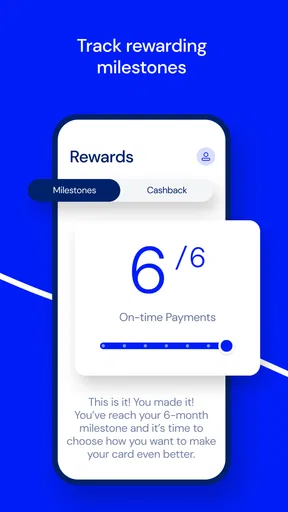
Rewards can make an account feel more engaging, and BrightWay Credit Card Mobile includes rewards among its central purposes. I like having spending and rewards in the same place because it avoids switching to a separate rewards portal just to understand whether card use has produced a benefit. That connection can help me decide whether I am using the card intentionally or simply spending because a reward is visible.
There is an important behavioral trade-off. Reward information can be useful, but it can also draw attention away from the amount owed. I would always review the payment obligation first and treat rewards as secondary. For users who are prone to impulse spending, the app is better used as a record of card activity than as a reason to increase purchases.
This is one of the less obvious ways to use the app well: separate monitoring from motivation. I would check rewards after confirming recent transactions and the planned payment, not before. That order keeps the most consequential information at the front of the routine and reduces the chance that an attractive benefit becomes the main focus.
Remaining barriers and points of friction
The first barrier is that the app is designed around the BrightWay Credit Card. It is not the right choice for someone seeking a neutral money manager, a multi-bank dashboard, or a complete spending plan. If my main need is to categorize every household expense across several accounts, I would choose a budgeting tool built for that job and keep this app for card-specific verification.
The second barrier is the seriousness of financial actions. A clean interface cannot remove the consequences of choosing the wrong payment amount or misunderstanding a balance. Users with reading, memory, or concentration difficulties may need a trusted person to help establish a routine, but they should be careful about sharing account access. I would prefer guided assistance that lets the account holder remain in control rather than casually handing over the phone.
The third barrier is dependence on the phone environment. BrightWay Credit Card Mobile runs on Android devices using at least Android 6.0, and the current version is 5.10.0. That makes device compatibility an important practical check, especially for people who keep older phones for cost or familiarity. An app can be well designed and still be inconvenient if the device is slow, the display is cramped, or system accessibility tools behave differently than expected.
I also would not assume that every user will find the same navigation obvious. Financial vocabulary can be unfamiliar, and similar-looking amounts can be easy to confuse. My advice is to read labels rather than relying on position, review the confirmation screen, and keep a personal note of what the payment was intended to accomplish. These are simple safeguards, but they make a meaningful difference for anyone who processes information more slowly.
Finally, the app should not replace broader financial judgment. It can help me see and manage the card relationship, but it cannot decide whether a purchase fits my budget or whether carrying a balance is sensible for my circumstances. Users who need debt-planning guidance, detailed cash-flow analysis, or coordinated household finances may need another service or a conversation with a qualified adviser.
Who will benefit most from this mobile card companion
I think BrightWay Credit Card Mobile suits an existing BrightWay cardholder who wants a direct way to monitor spending, make payments, and inspect rewards without using a full banking platform. It is also a reasonable fit for someone who prefers handling routine account checks on a phone rather than keeping paper statements or logging into a desktop site.
It may be particularly comfortable for users who become overwhelmed by large financial apps. The limited purpose gives the experience a clear boundary, and that can support people who prefer one task at a time. It can also help a caregiver or family member understand which app belongs to the card account, although I would still treat account sharing and privacy with care.
I would suggest a different option to someone who needs one combined view of multiple cards and bank accounts, wants advanced category-based budgeting, or has accessibility requirements that depend on very specific control sizes or assistive behavior. In those cases, a broader tool or a service tested with the person’s exact setup may be more suitable. The fact that the app is free does not make it the best answer for every financial workflow.
My inclusive verdict
After using BrightWay Credit Card Mobile as a focused finance companion, I see its main strength in reducing the distance between a cardholder and the everyday tasks that matter: checking activity, handling payments, and keeping an eye on rewards. The app comes from OneMain Financial, is free to install, and has an Everyone content rating, so it is positioned as a broadly approachable tool rather than a specialist finance product.
Its accessibility story is more practical than absolute. A focused card experience may be easier to understand than a crowded banking app, and mobile access can help people who cannot conveniently use a desktop or visit a physical location. Yet readability, touch precision, privacy, device age, and the seriousness of payment decisions still shape the experience. System text enlargement and other phone-level aids may help, but I would test the complete payment routine before depending on it.
My recommendation is to treat it as a careful, card-specific control panel rather than a complete financial assistant. If that matches your needs, it can make regular account checks less cumbersome. If you need detailed budgeting, several financial institutions in one view, or highly specialized accessibility support, another tool may serve you better. Used with a calm routine and a deliberate review of every amount, it is a useful option for BrightWay cardholders who want mobile control without unnecessary financial clutter.
Verdict
Strengths of BrightWay Credit Card Mobile
- Quick access to balances, transactions, and available credit
- Mobile payments and card controls are convenient for everyday purchases
- Payment reminders can help reduce missed due dates
- Transaction alerts improve visibility over account activity
- Secure sign-in options help protect sensitive financial information
Limitations of BrightWay Credit Card Mobile
- Some features may require an active BrightWay card account
- App usefulness depends on reliable internet access
- Customer support options may be limited outside business hours
- Certain account actions may redirect you to web-based services
- Older devices may experience slower performance or compatibility issues
Other Releases by OneMain Financial
View All
OneMain Financial
Finance4.7
Similar Picks in This Category
View All
Google Wallet
Google LLC4.3

Airtel: Recharge, Bank & Loans
Airtel4.0

PayPal - Pay, Send, Save
PayPal Mobile4.2

DANA Indonesia Digital Wallet
PT Espay Debit Indonesia Koe4.5

Binance: Buy Bitcoin & Crypto
Binance Inc.4.8

Cash App
Block, Inc.4.7
Frequently Asked Questions
What is BrightWay Credit Card Mobile used for?
BrightWay Credit Card Mobile is designed to help BrightWay cardholders manage their credit card account from an Android or iOS device. After signing in, users can typically review their balance, available credit, recent transactions, statement details, payment due dates, and account notices. It is mainly a convenient account-management tool rather than a separate banking product or a way to apply for a card.
Can I make payments through the BrightWay Credit Card Mobile app?
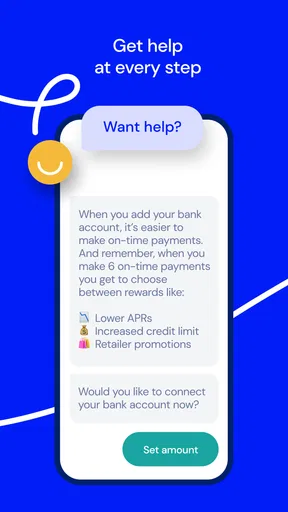
The app is intended to make card payments more convenient, allowing eligible users to submit a payment from a linked bank account and review payment activity. Before confirming a payment, check the selected funding account, amount, and scheduled date carefully. Processing times, cutoff hours, returned-payment rules, and available payment options may vary, so users should verify the details shown in the app and avoid waiting until the due date.
Is BrightWay Credit Card Mobile safe to use?
The application is built for secure access to BrightWay credit card information, but its safety also depends on how you use it. Download it only from the official Google Play Store or Apple App Store, confirm the publisher and app details, and keep your phone’s operating system updated. Use a strong, unique password, enable available security features, avoid public Wi-Fi for sensitive actions, and never share verification codes.
What should I do if I cannot log in or forget my password?
If you cannot access BrightWay Credit Card Mobile, first check that your username, password, and internet connection are correct. Use the in-app account recovery or password-reset option if available, and follow the identity-verification instructions carefully. Repeated failed attempts may temporarily restrict access. If recovery does not work, contact BrightWay customer support using the official phone number or website rather than relying on unofficial online contacts.
Does the app replace customer service or provide every account feature?
BrightWay Credit Card Mobile can make everyday account management faster, but it should not be considered a complete replacement for customer service. Some requests, disputes, account changes, fraud reports, or verification issues may require additional assistance. Features can also depend on your account status, device, operating system, and app version. Review the permissions and terms before installation, and contact BrightWay directly when an issue cannot be resolved in the app.
